In short
Ask every customer for a review right after the service, using the official link or QR code from your Business Profile, and reply to every review. What Google bans: offering discounts or gifts in return, asking only for positive reviews, pressuring customers on your premises, or asking them to write something specific.
Why reviews matter
Google considers a business's prominence when ranking local results, and review count and rating are part of it. Reviews are also the first thing a customer checks before calling you.
What Google recommends
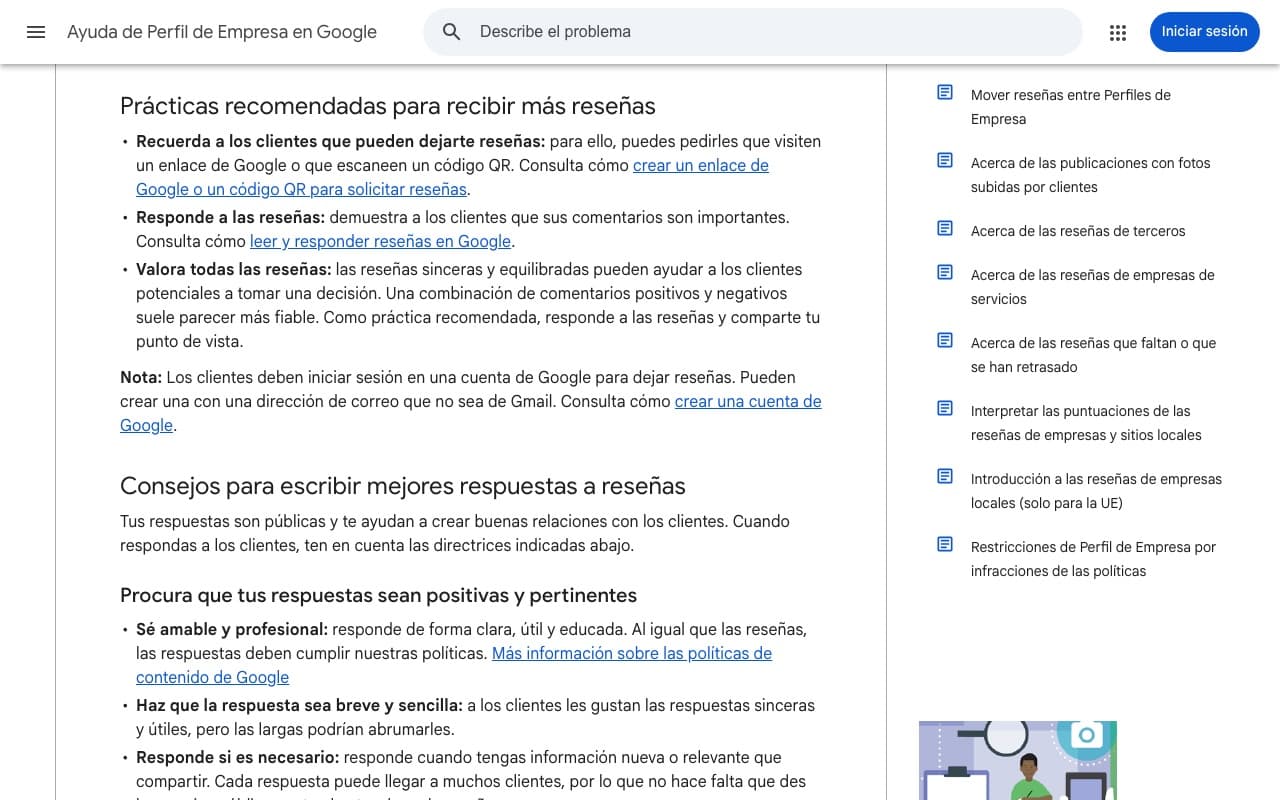
According to Google Business Profile Help:
- Remind customers they can leave a review, with a link or QR code.
- Reply to reviews, positive and negative.
- Value every review: a mix of comments looks more trustworthy.
- Bear in mind customers need a Google account to leave a review.
No commitment
Free 30-minute consultation
We review your business, your website and your presence on Google, and tell you what we'd do first. Free, no commitment, by video call.
- A quick check of your website and SEO
- Concrete ideas to win more clients
- A rough quote if you need one
What Google bans
Google Maps content policies don't allow:
- Offering incentives (payments, discounts, free products or services) for reviews or for changing a negative one.
- Selectively asking for positive reviews or discouraging negative ones.
- Requiring or pressuring customers to review while they're on your premises.
- Asking for specific content.
- Posting reviews from multiple accounts or reviewing competitors.
A simple system for asking
What works best is making it routine:
- Create your review link or QR code from your Business Profile.
- Send the link by WhatsApp or email on the day of the service, to every customer.
- Put the QR code on the counter, invoice or menu, without forcing anyone.
- Add the link to your email signature and website.
- Reply to every review within a few days, with your name.
How to reply to a negative review
Reply calmly and publicly: thank them, acknowledge what went wrong, explain what you've changed and offer to talk privately. If the review breaks the policies (for example it isn't from a real customer), you can report it from your profile.
Ranges are indicative: the final price depends on your website, your project and what you need. We give you a fixed quote after a free call.
Frequently asked questions
Can I offer a discount to people who leave a review?
No. Google treats it as fake engagement and may remove the reviews or restrict your profile.
Can I only ask happy customers?
No. Asking selectively goes against the policies. Ask everyone.
Can I delete a negative review?
You can't delete it yourself. You can only reply or report it if it breaks the policies.
Can you help me set up the system?
Yes. It depends on how you work with customers; in a free call we suggest the message, the link and where to place it.